Broken?One scan, and your team knows.
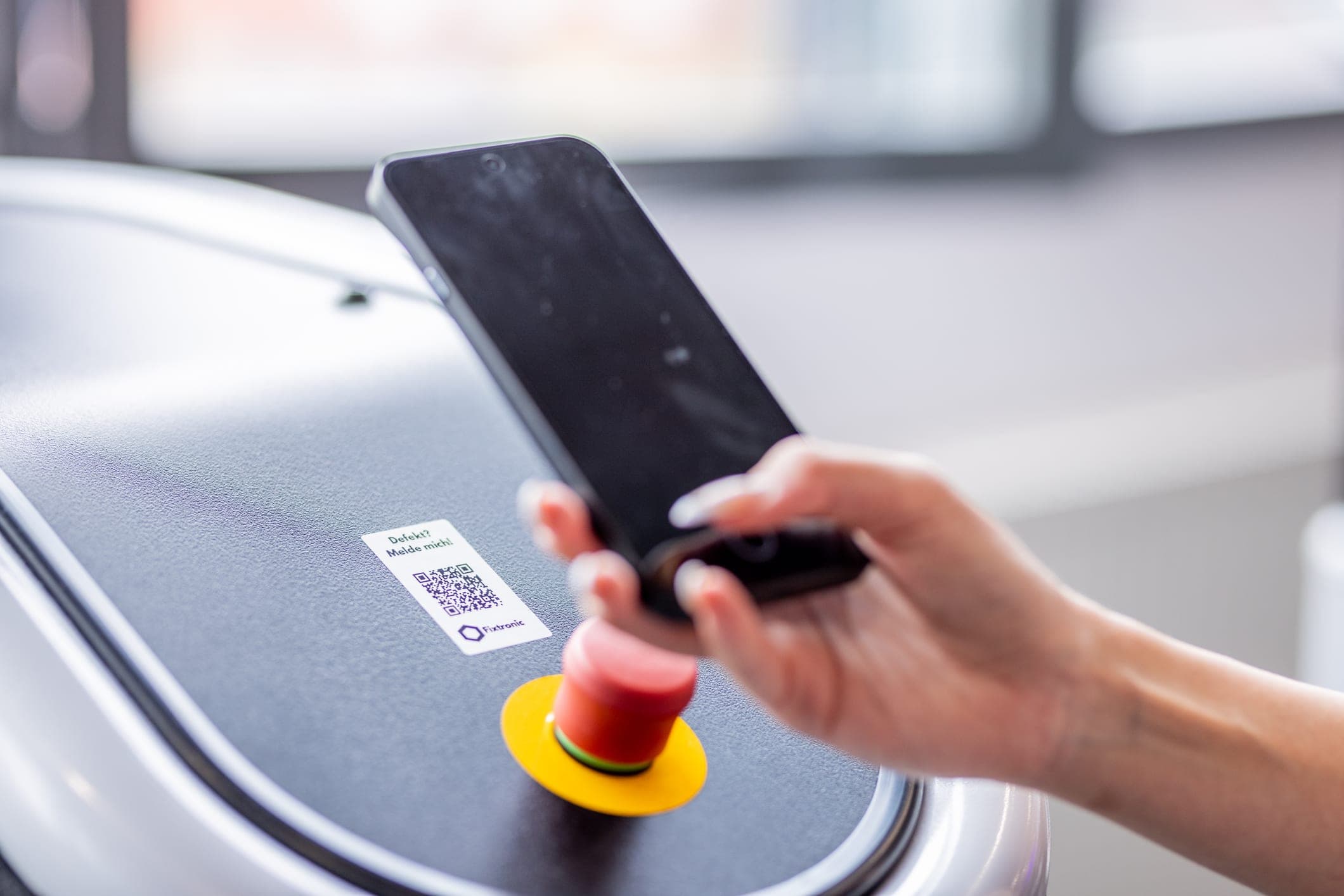
Fixtronic gives every machine a QR code. Whoever spots a fault scans it and describes it in a sentence – your team has the report with photo and location in their inbox before anyone asks at the front desk.
The report
Scan. Describe.Done.
- 0
- apps or logins for members
- 1 scan
- and the report is in the inbox, photo included
- 5 days
- before it is due, the service task is set
- 14 days
- free trial, no payment details
Three things that otherwise get left behind
Faults, maintenance and inspection rounds – documented without anyone keeping a paper list.
Faults
Scan, describe, done – no app, no account. The report goes to your team by email right away, with machine photo, location and serial number.
Maintenance
Set an interval per machine. Fixtronic creates the task five days before it's due and sets the next date once it's done.
Checklists
Cleaning, inspection rounds, opening and closing – on a weekly schedule, with photo proof and name if wanted.
In operation
What your team sees when a report comes in.
- Report
- no app, no login
- Notification
- email with machine photo, location and link
- Status
- opened · in progress · fixed
- Duplicate reports
- one open fault per machine
- Locations
- several in one account, roles per location
- Hosting
- in the EU, Frankfurt
- Trial period
- 14 days free
Maintenance
Maintenance that reminds itself.
Every machine gets its interval in days. Fixtronic creates the maintenance task in time, the team ticks it off – and the next date is set without anyone keeping a calendar.
- Reminder
- 5 days before due
- Record
- history and comments per maintenance
- Photo proof
- can be required on checklists
Frequently asked questions
Do members have to install an app?
No. The QR code opens a page in the phone's browser. It shows the machine with its photo and a field for the report below.
Who receives the report?
A distribution list per location. You decide which addresses get an email when a fault is reported.
What happens if the same machine is reported twice?
While a fault is open, Fixtronic won't accept a second one. The reporter sees it's already known – your inbox stays quiet.
Do I need the IDA Reader for this?
No. Fixtronic runs independently of the access system – in clubs without one of our readers too.
How do the QR codes get onto the machines?
Every machine gets its own code as a sticker when it's created. Photo, manufacturer, serial number and location sit behind it.
What does Fixtronic cost?
The first 14 days are free, no payment details needed. After that a licence – we'll tell you the price when we talk.
Try Fixtronic free for 14 days.
We set up the first machines together. After that it runs on its own – until the next report.
No obligation · 14 days free · in German